Hipstamatic guideThe viewfinder is black

Hipstamatic can’t reach your camera. In your iPhone’s Settings, tap Apps, then Hipstamatic, and turn on Camera. Still black? Close Hipstamatic and open it again.

Hipstamatic · 9.1 · 3 steps
  1. 01

    A black viewfinder means no camera

    Camera access is off, or another app is using the camera.
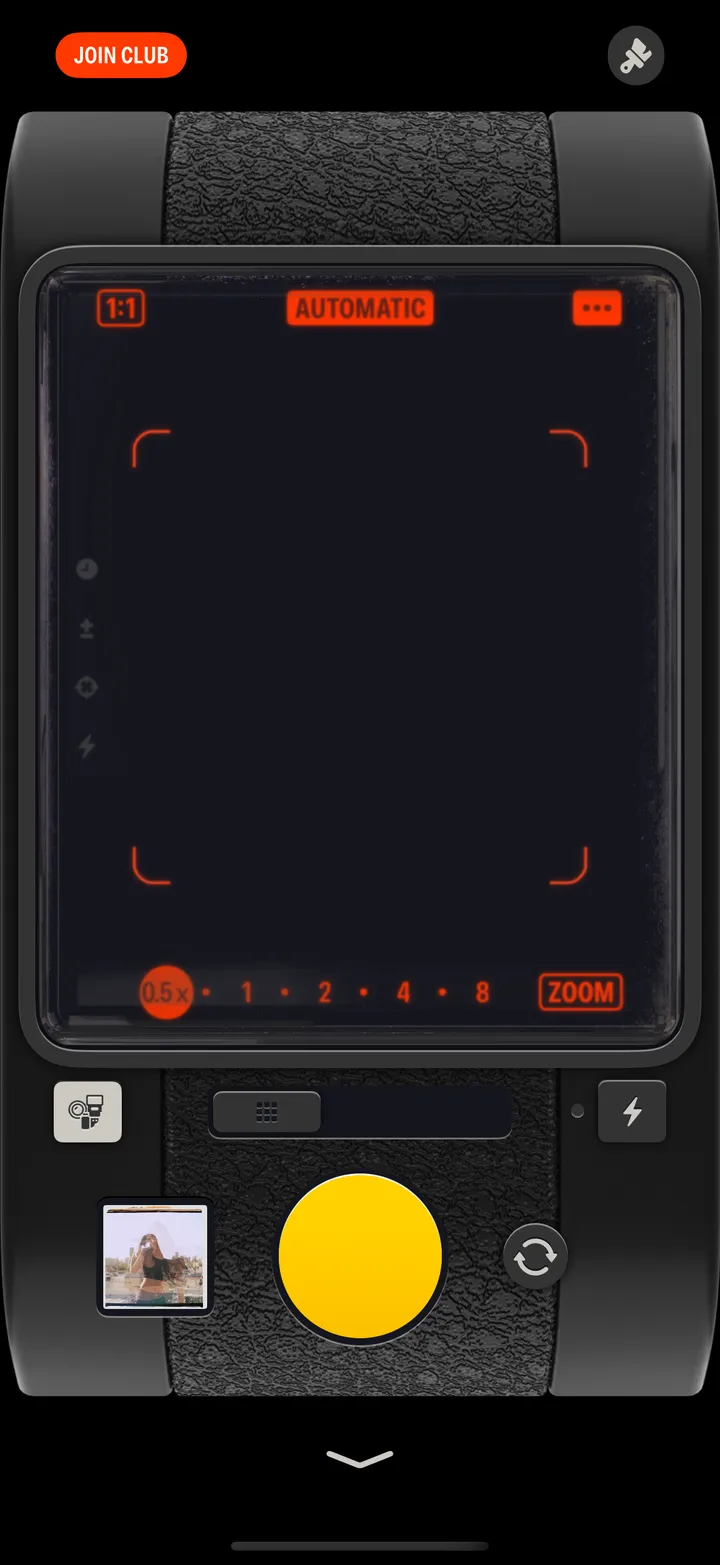
    Step 1: A black viewfinder means no camera
  2. 02

    Turn on Camera for Hipstamatic

    In your iPhone’s Settings app.

    On your iPhone
    1. Settings
    2. Apps
    3. Hipstamatic
    4. Camera
  3. 03

    Close Hipstamatic and open it again

    Swipe up from the bottom and pause, swipe Hipstamatic away, then open it.
    On your iPhone
    1. Swipe up and pause
    2. Swipe Hipstamatic away
    3. Open Hipstamatic

Good to know

  • On iOS 17, Hipstamatic is in the main list in Settings, not under Apps.
  • A FaceTime or video call can hold on to the camera. Hang up and try again.

Troubleshooting

Hipstamatic guide ↘