Hipstamatic guideEnter a photo challenge

Open the challenge in Community and tap Join Challenge. Shoot to its rules, then post your photograph with Add to a Photo Challenge.

Hipstamatic · 6.5 · 4 steps

Before you start

  • A Hipstamatic profile, to enter.
  1. 01

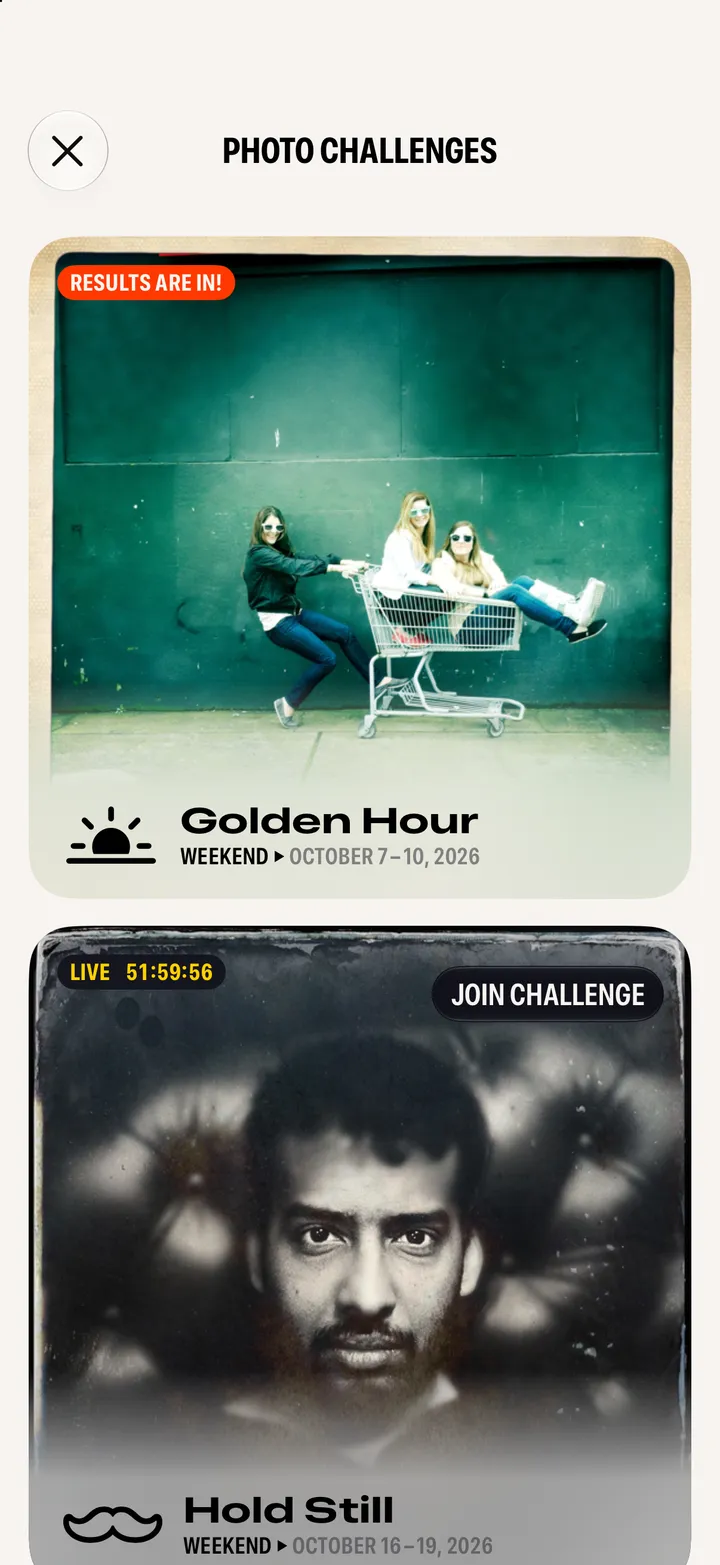
    Open a challenge

    Under Photo Challenges in Community.

    Step 1: Open a challenge
  2. 02

    Read the rules and tap Join Challenge

    Entry Requirements says what to shoot with.
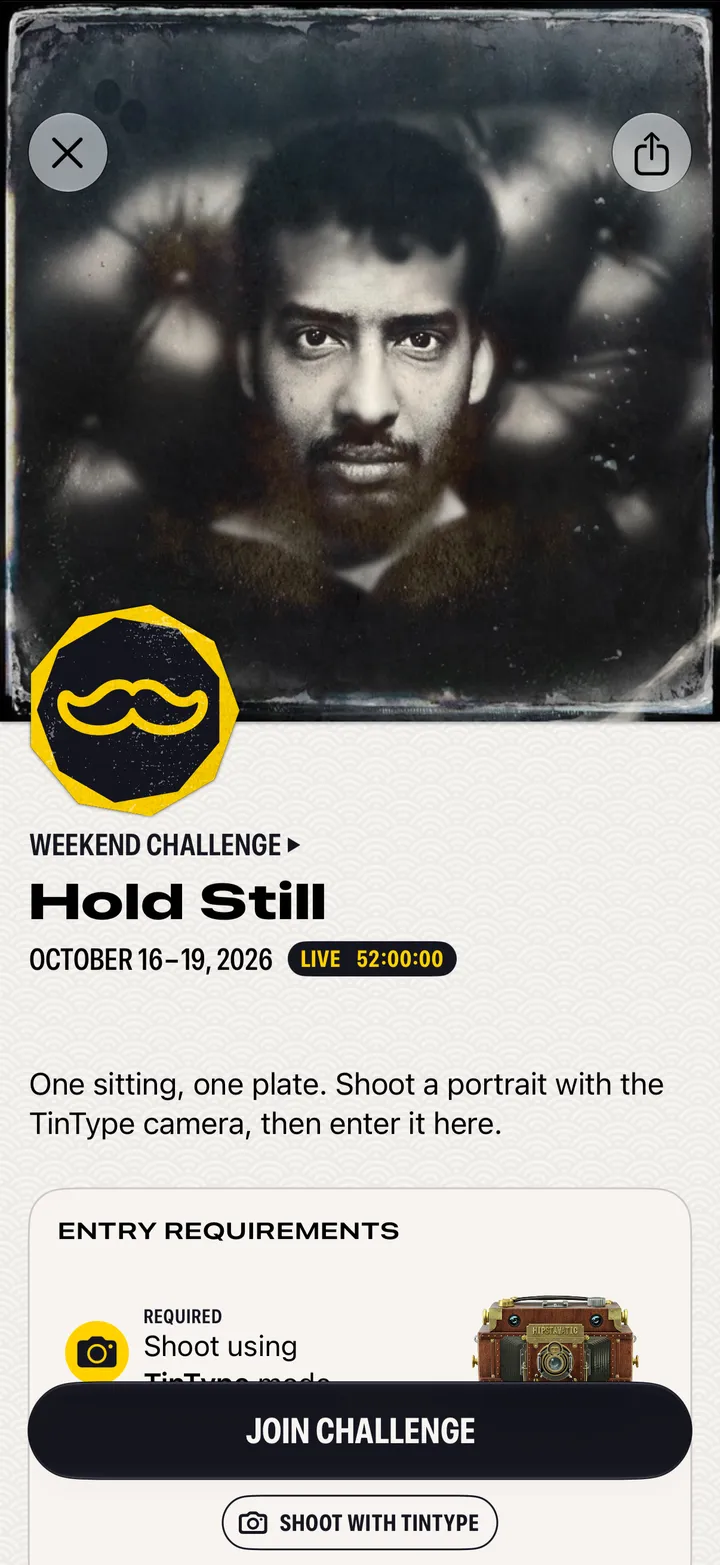
    Step 2: Read the rules and tap Join Challenge
  3. 03

    Post your photograph to it

    On the Post page, tap Add to a Photo Challenge and pick it.
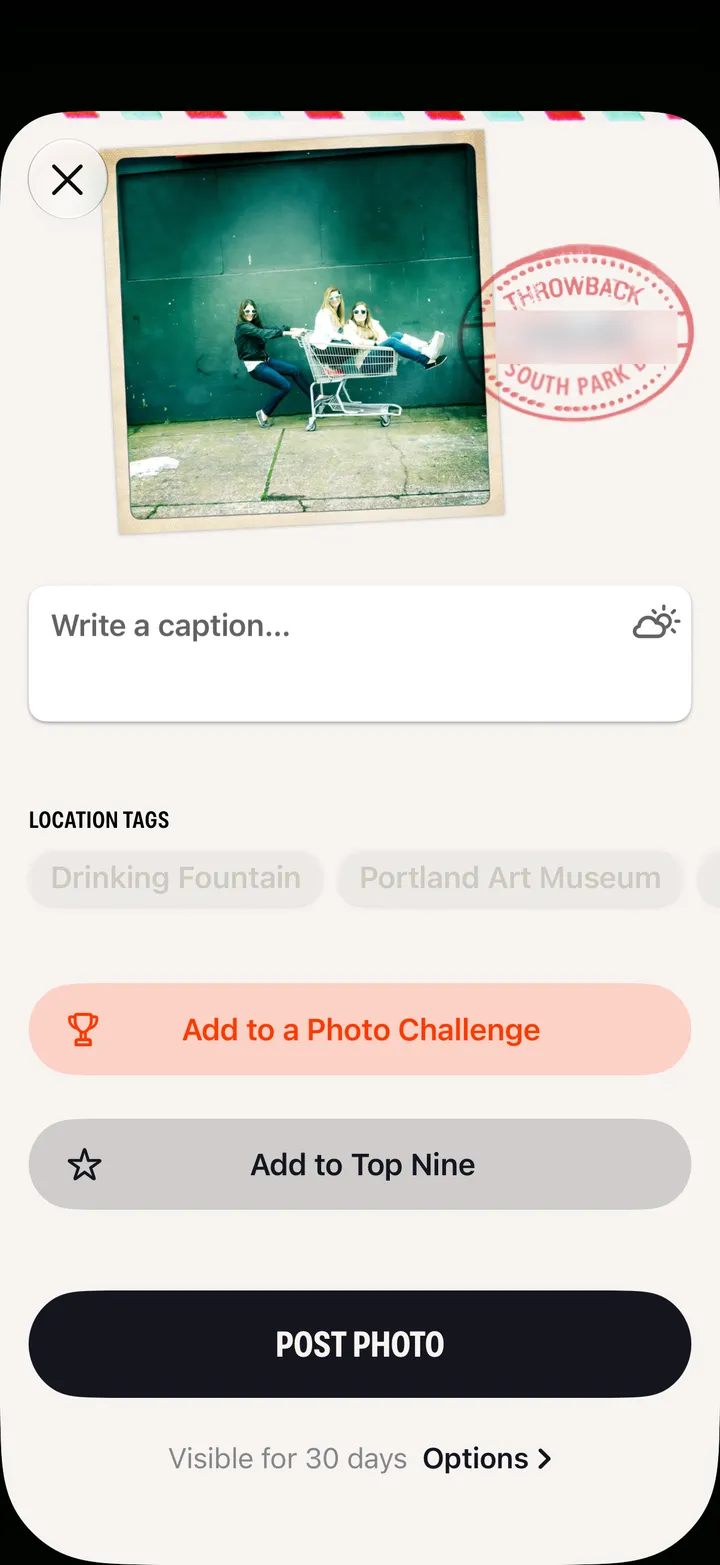
    Step 3: Post your photograph to it
  4. 04

    Wait for the winners

    They’re picked by hand by the people who make Hipstamatic, and announced when it ends.

    The challenge
    1. Current Daily Leaderboard
    2. All Entries
    3. My Entries

Good to know

  • Challenge entries don’t expire.
  • The daily leaderboard is for fun. The app says so: it isn’t the final result.
  • Challenges Archive, at the bottom of Community, has every one that’s run.