Hipstamatic guideEdit a photograph

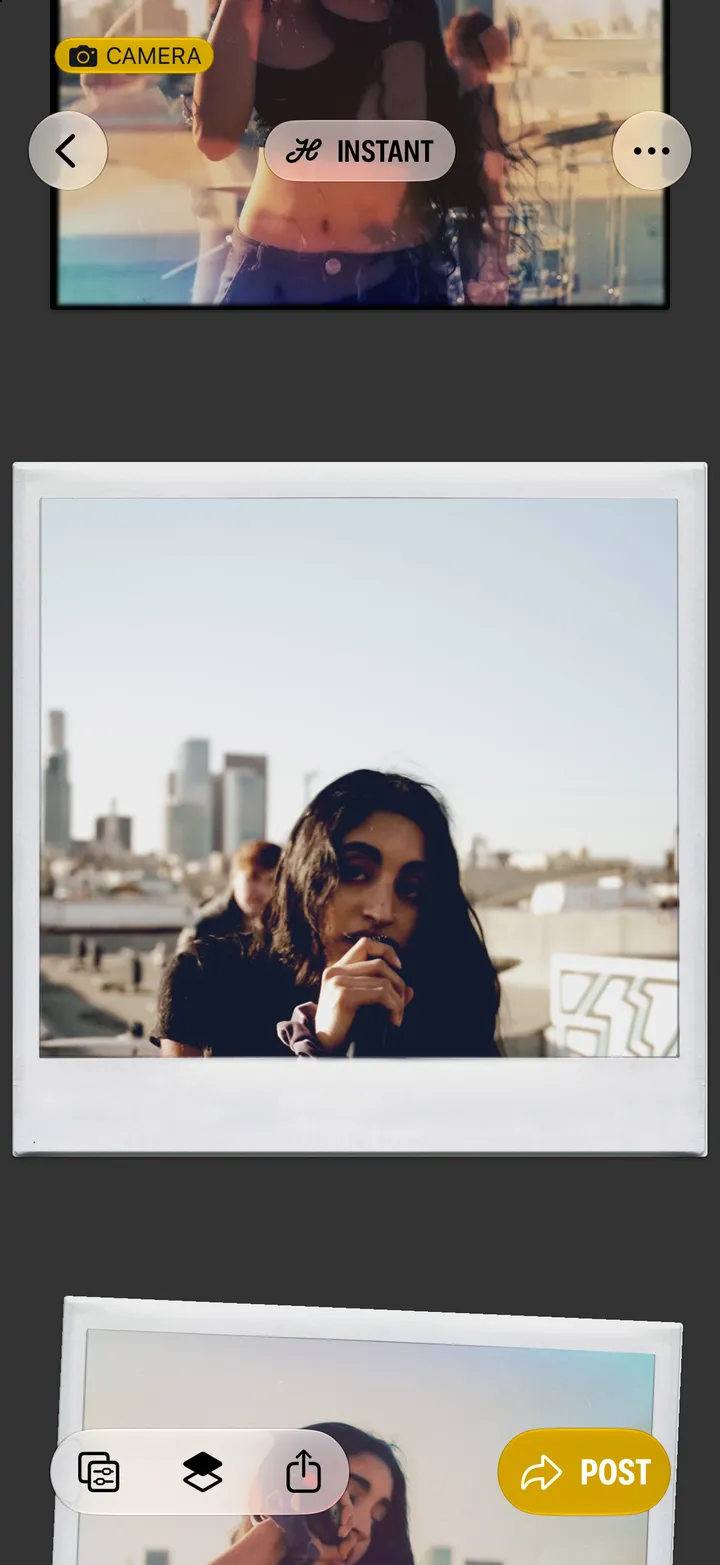
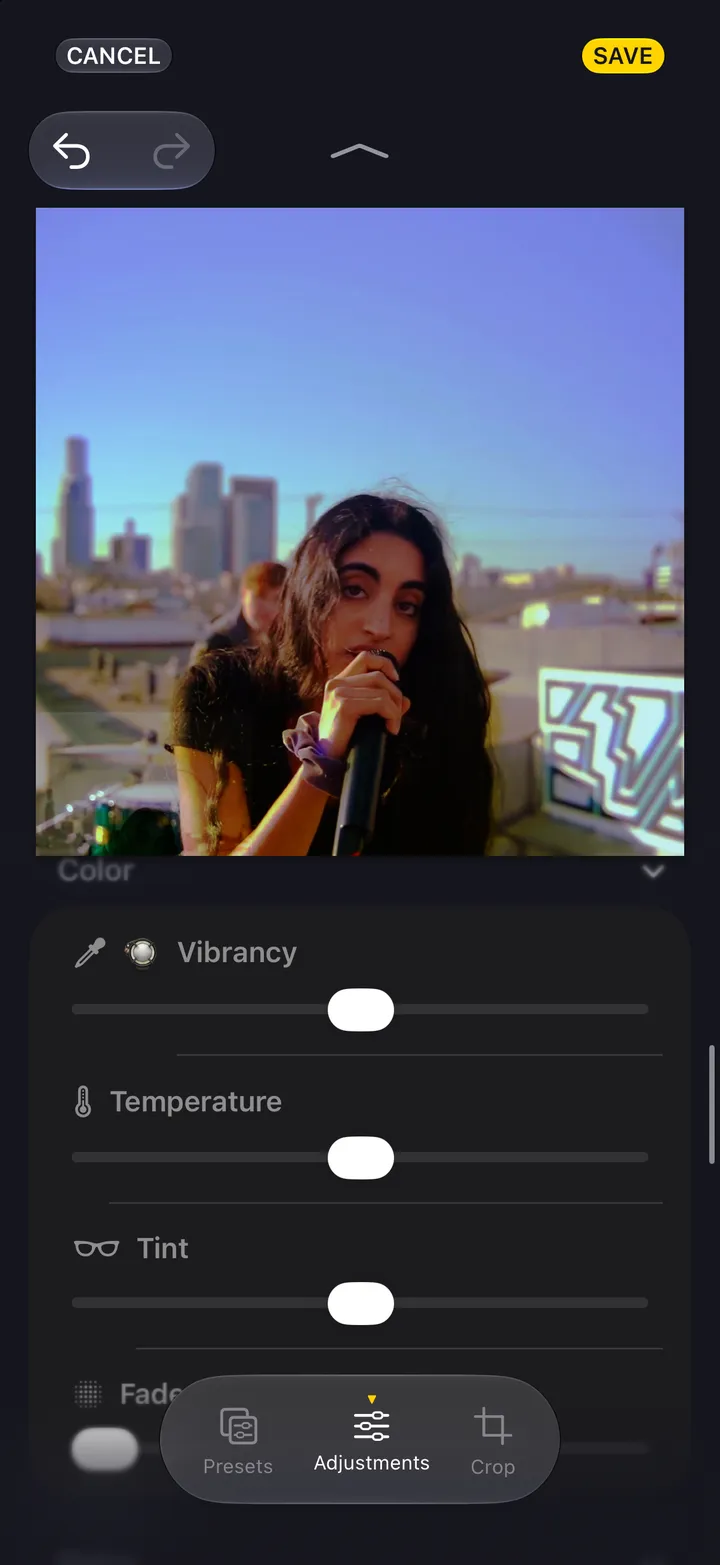
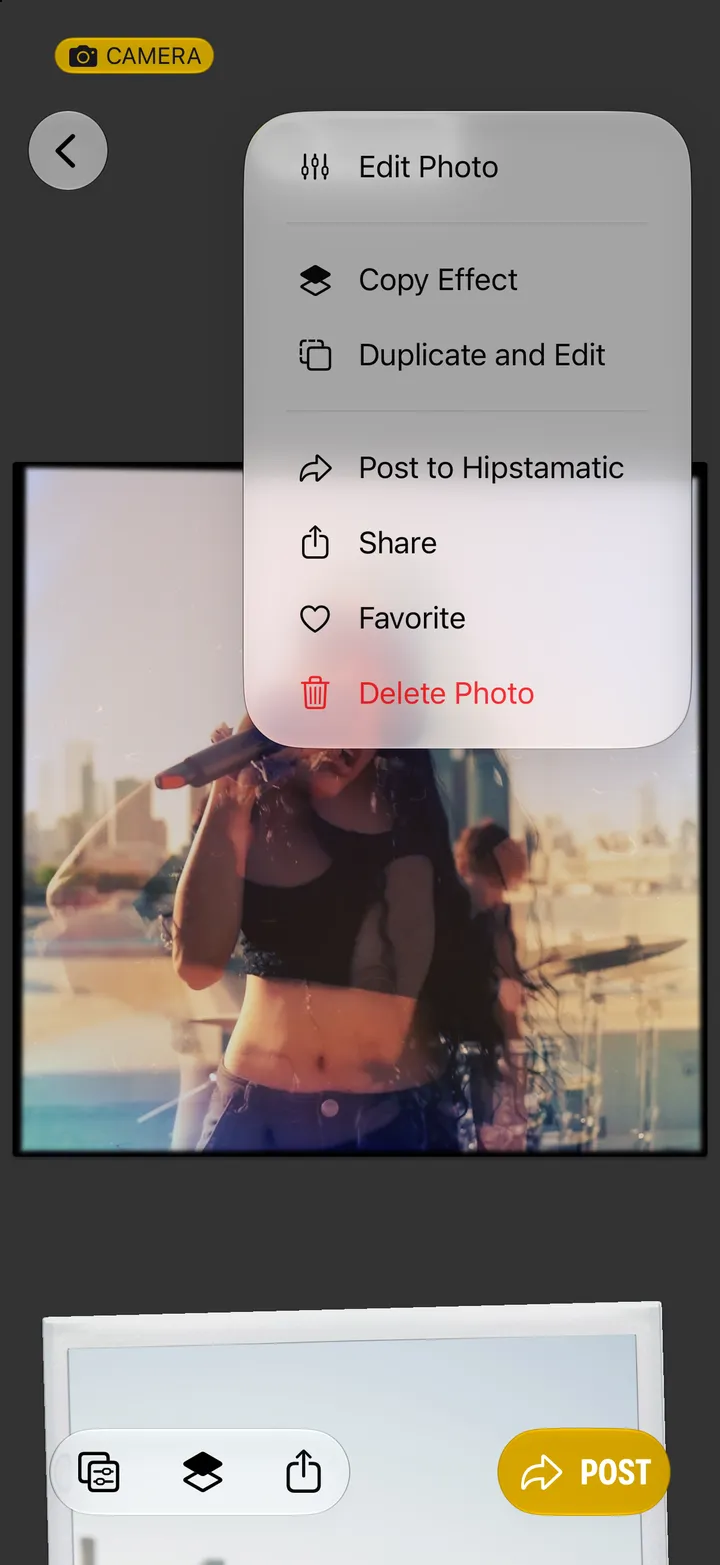
Open the photograph and tap Edit, bottom left. Pick a new look in one tap, or tap Open Darkroom for the gear, the light, the color and the crop. Then tap Save.

Hipstamatic · 5.1 · 4 steps
  1. 01

    Open the photograph and tap Edit

    Bottom left.

    Step 1: Open the photograph and tap Edit
  2. 02

    Pick a look, or tap Open Darkroom…

    The quick way and the whole darkroom, from the same place.
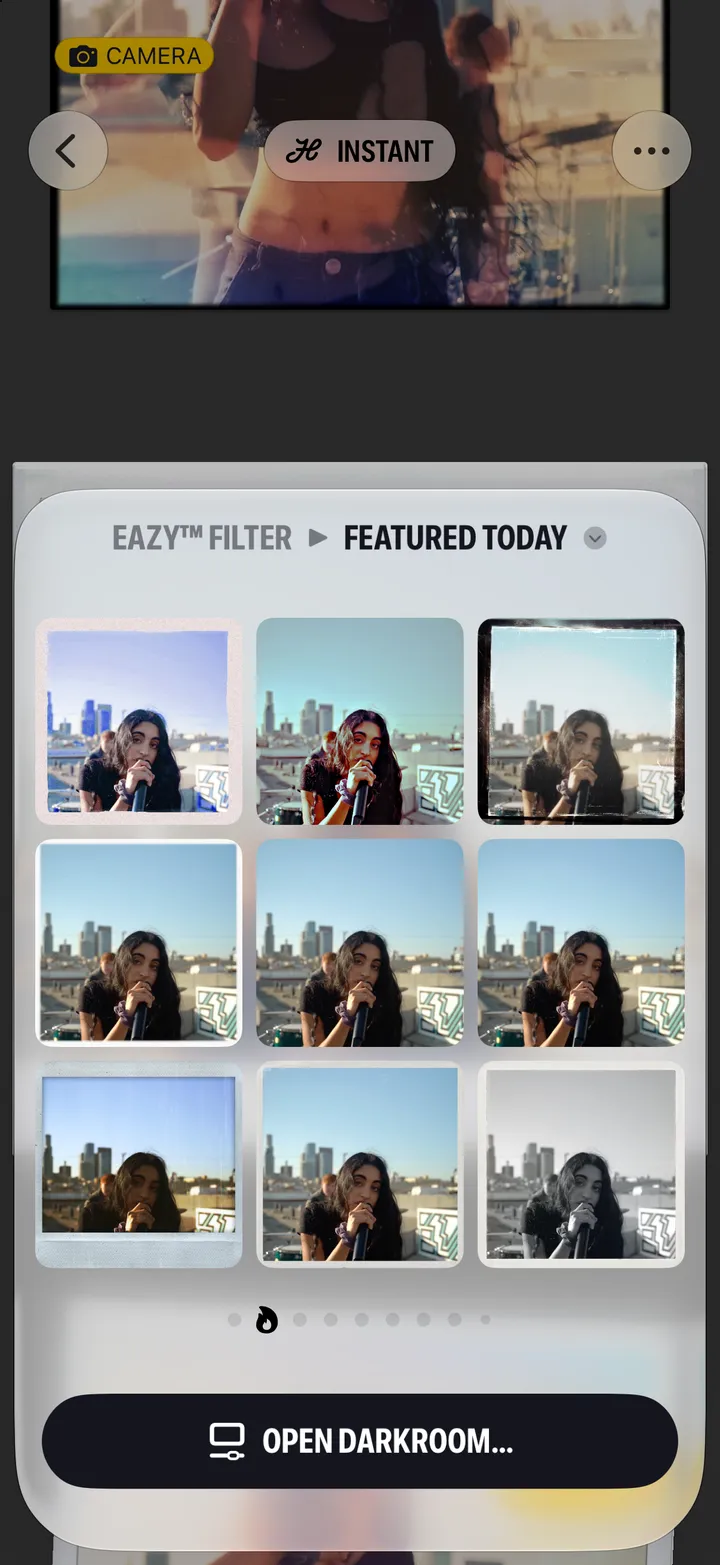
    Step 2: Pick a look, or tap Open Darkroom…
  3. 03

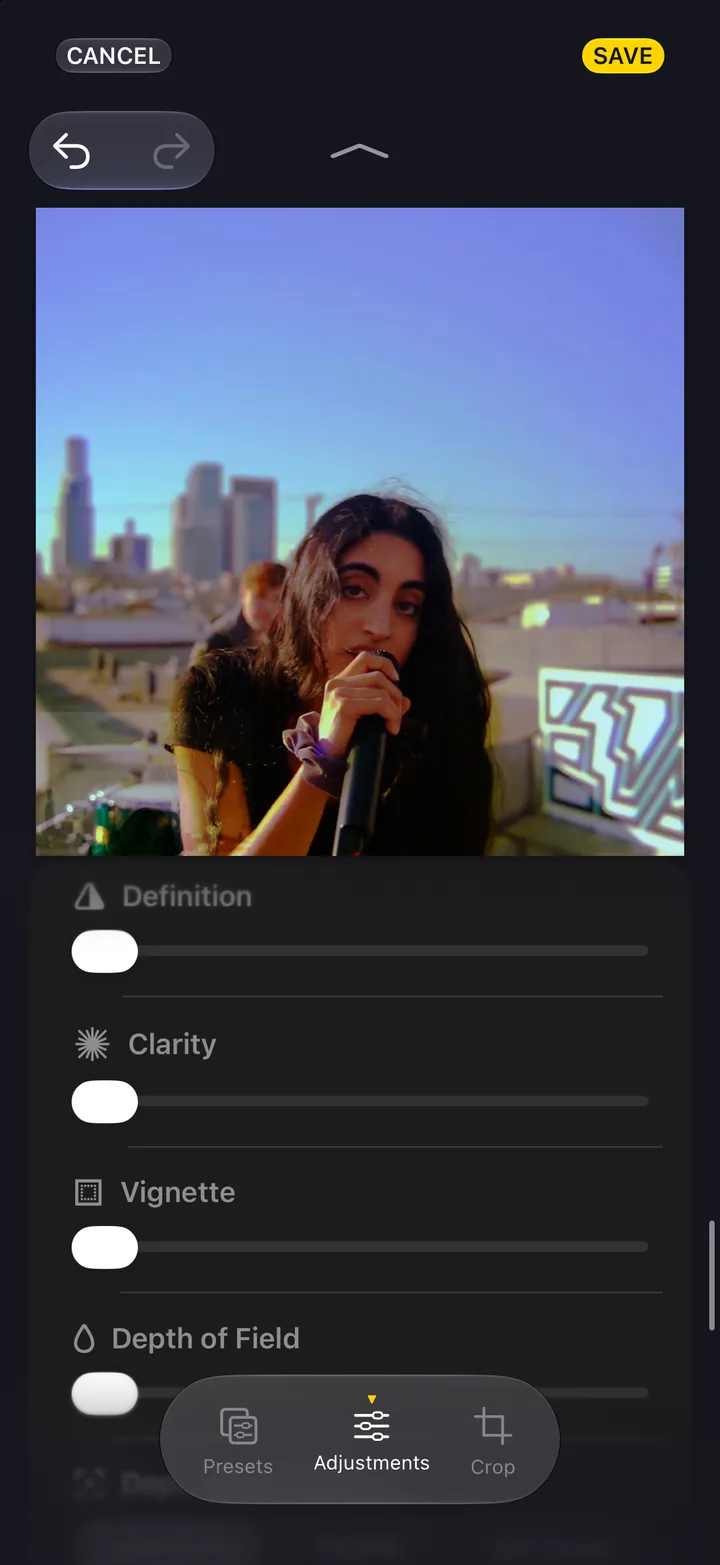
    Work the three tabs

    Presets for another look. Adjustments for the gear, light, color and grain. Crop for the frame.
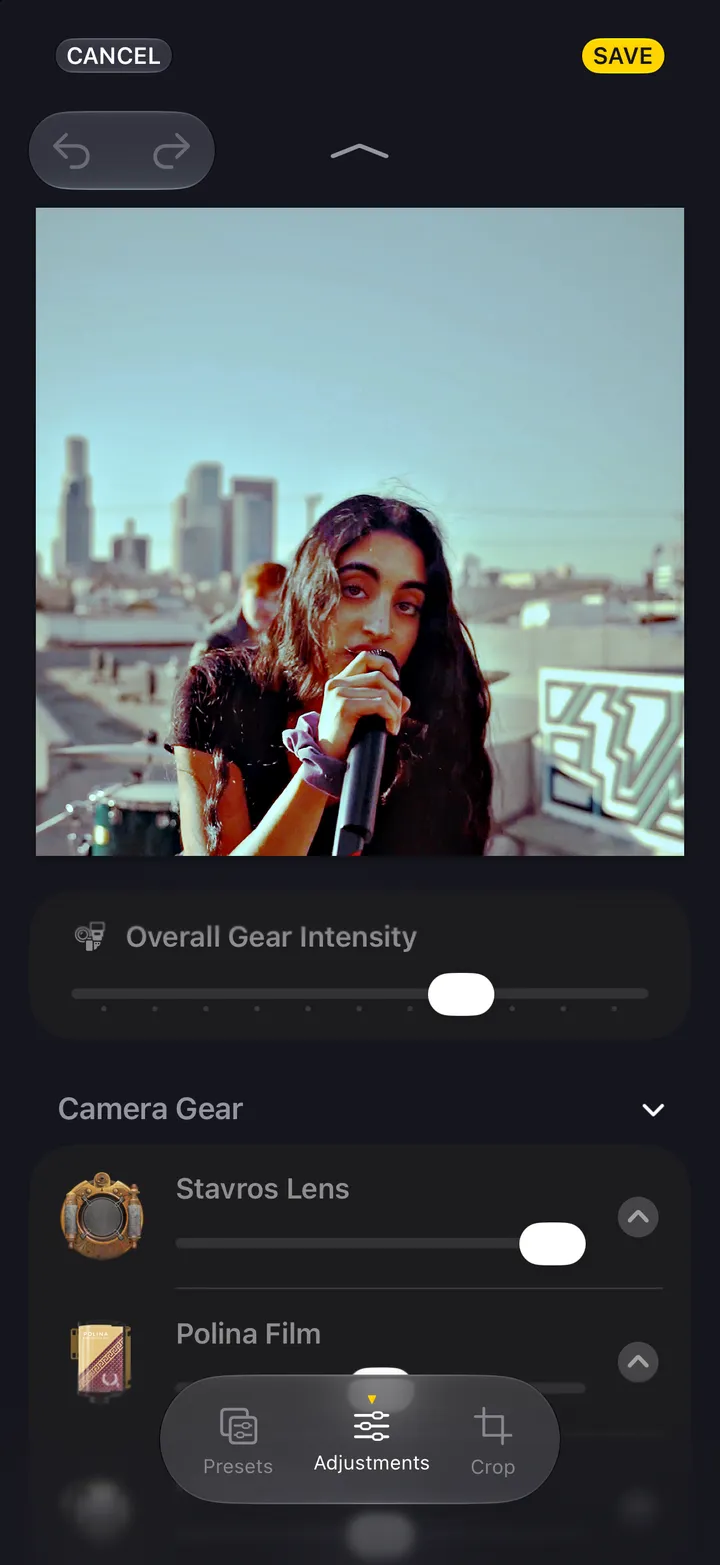
    Step 3: Work the three tabs
  4. 04

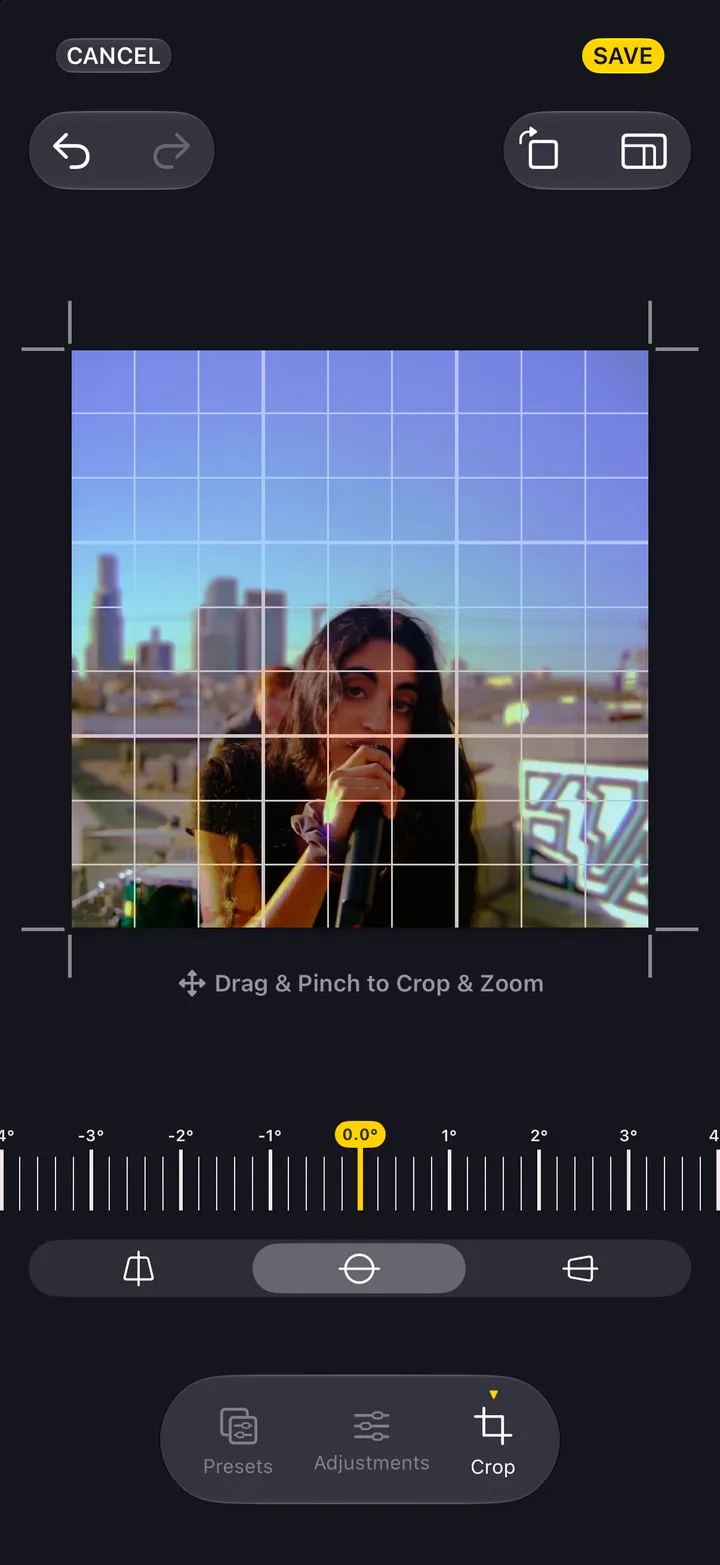
    Tap Save

    Cancel, top left, asks before it throws anything away.
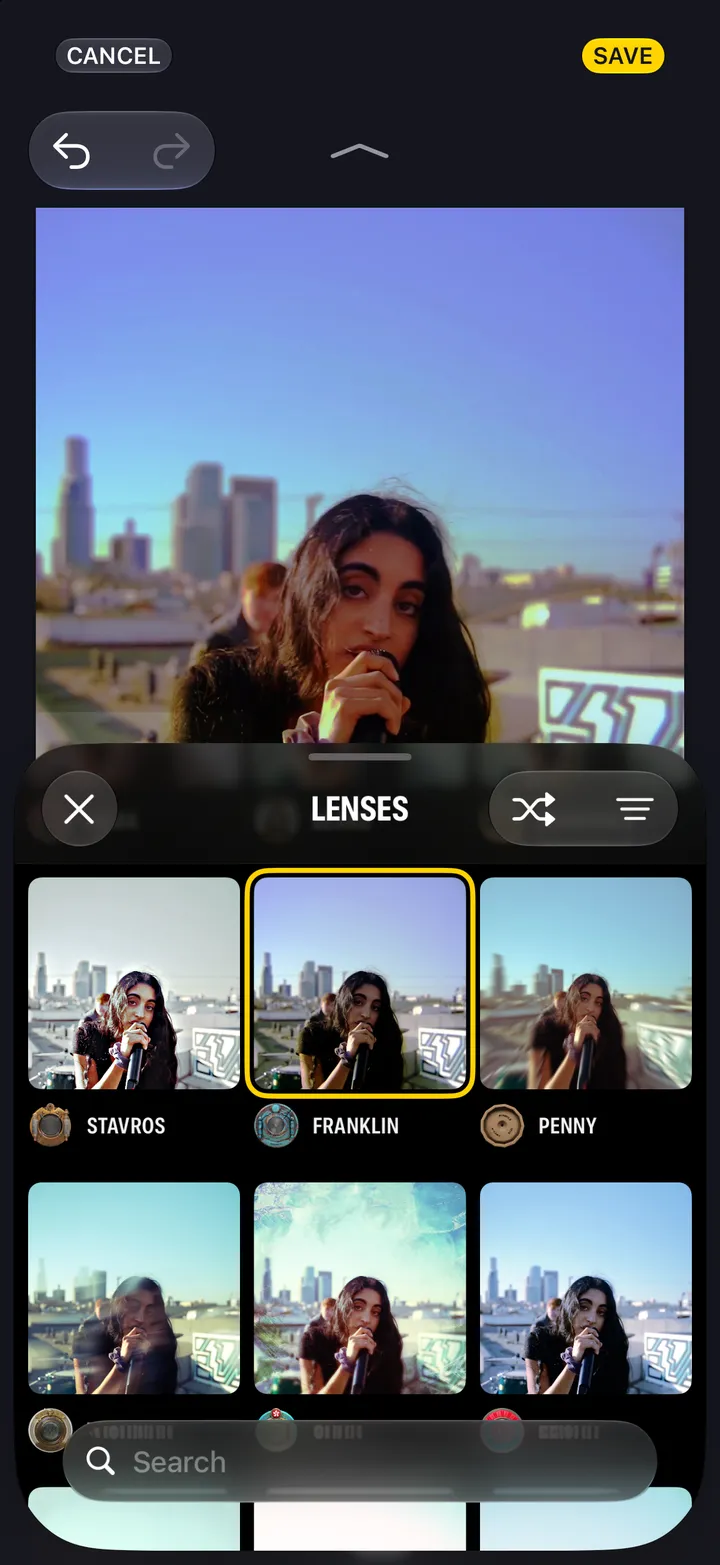
    Step 4: Tap Save

Good to know

  • You chose the gear before you shot. The darkroom is where you finish the print.
  • Hipstamatic keeps the original you shot with every photograph, so an edit always starts from the original, not from the print.