Camera Club guideGive a friend a free pass

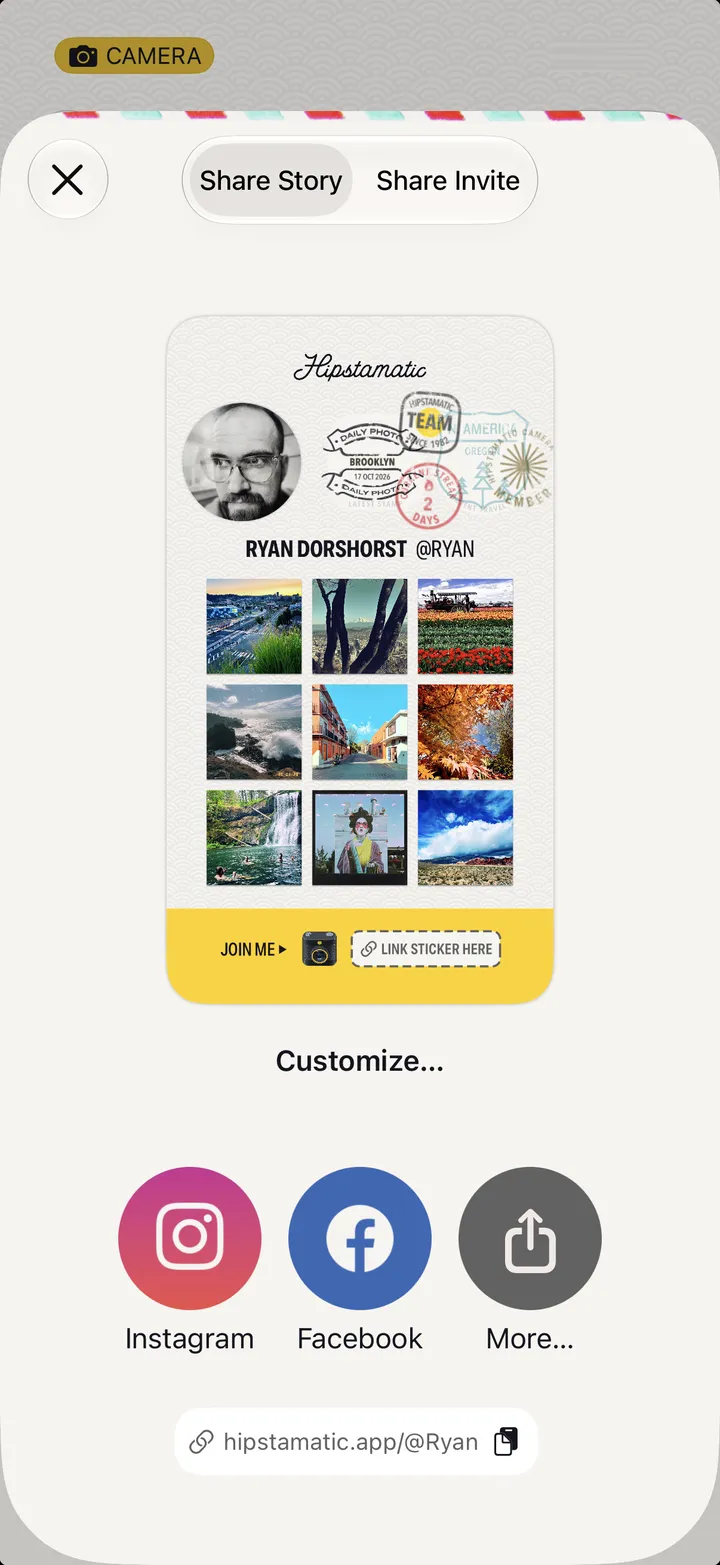
Members can attach a free Camera Club pass to their profile invite. Open your profile, tap Share Profile, switch to Share Invite, then tap Attach Membership Pass.

Camera Club · 1.9 · 3 steps
  1. 01

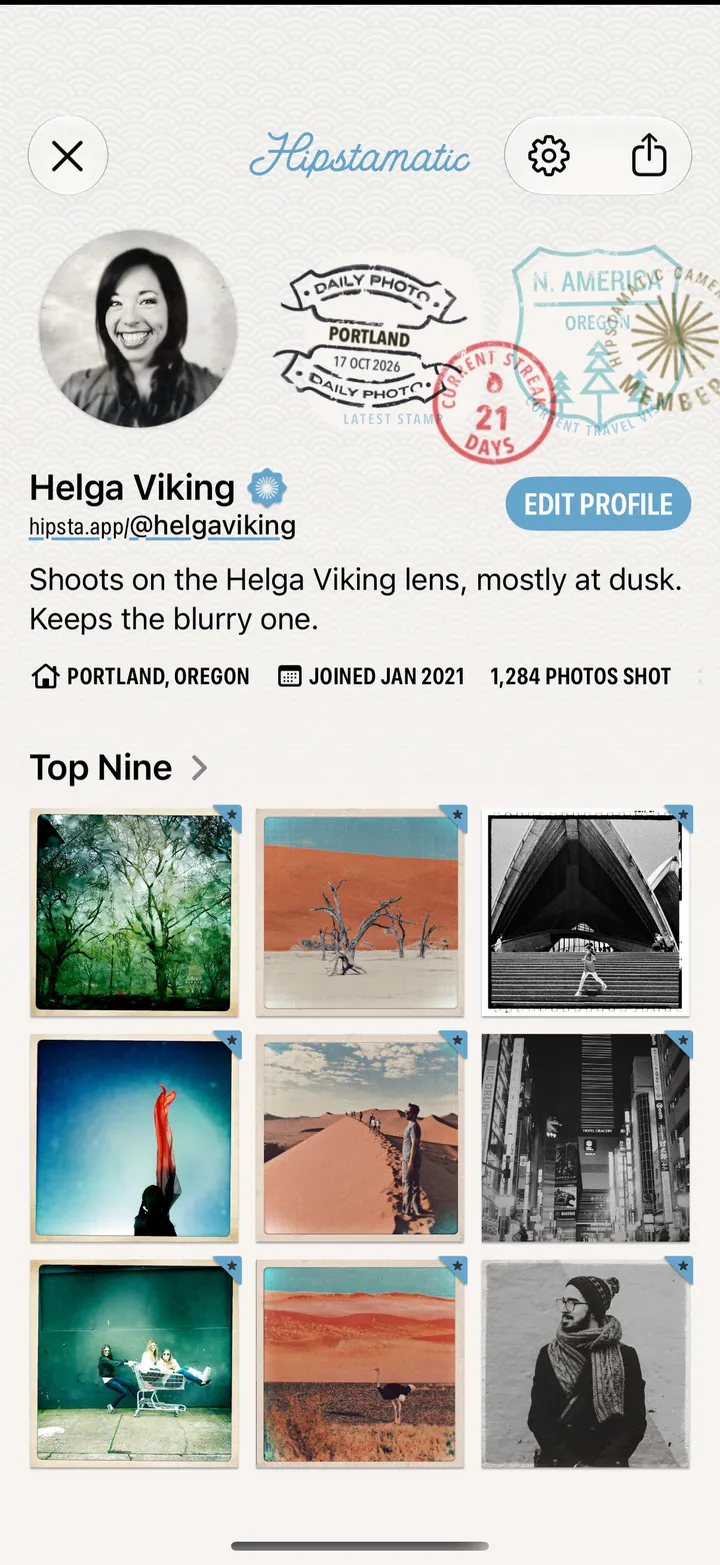
    Open your profile and tap Share Profile

    Step 1: Open your profile and tap Share Profile
  2. 02

    Switch to Share Invite

    At the top, next to Share Story.

    Step 2: Switch to Share Invite
  3. 03

    Tap Attach Membership Pass, then send

    Your friend taps Redeem Pass and follows three steps.
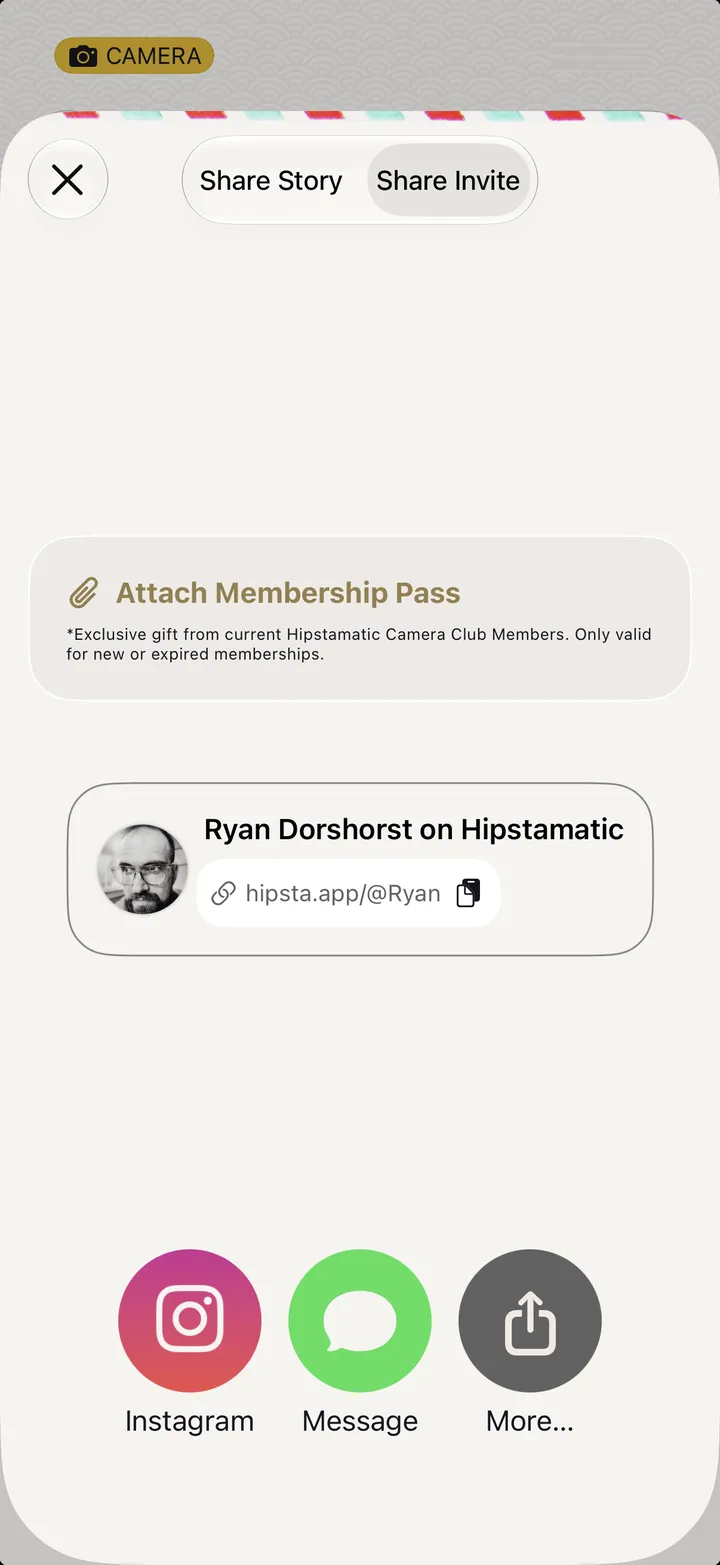
    Step 3: Tap Attach Membership Pass, then send

Good to know

  • Passes are for people who aren’t members yet, or whose membership has ended. A member who tries one sees Only valid for new or expired memberships.
  • A pass is a month free on the annual plan. It renews into the annual plan unless your friend cancels in their iPhone’s Settings ▸ Subscriptions.