

Party! guideDelete your Party! account

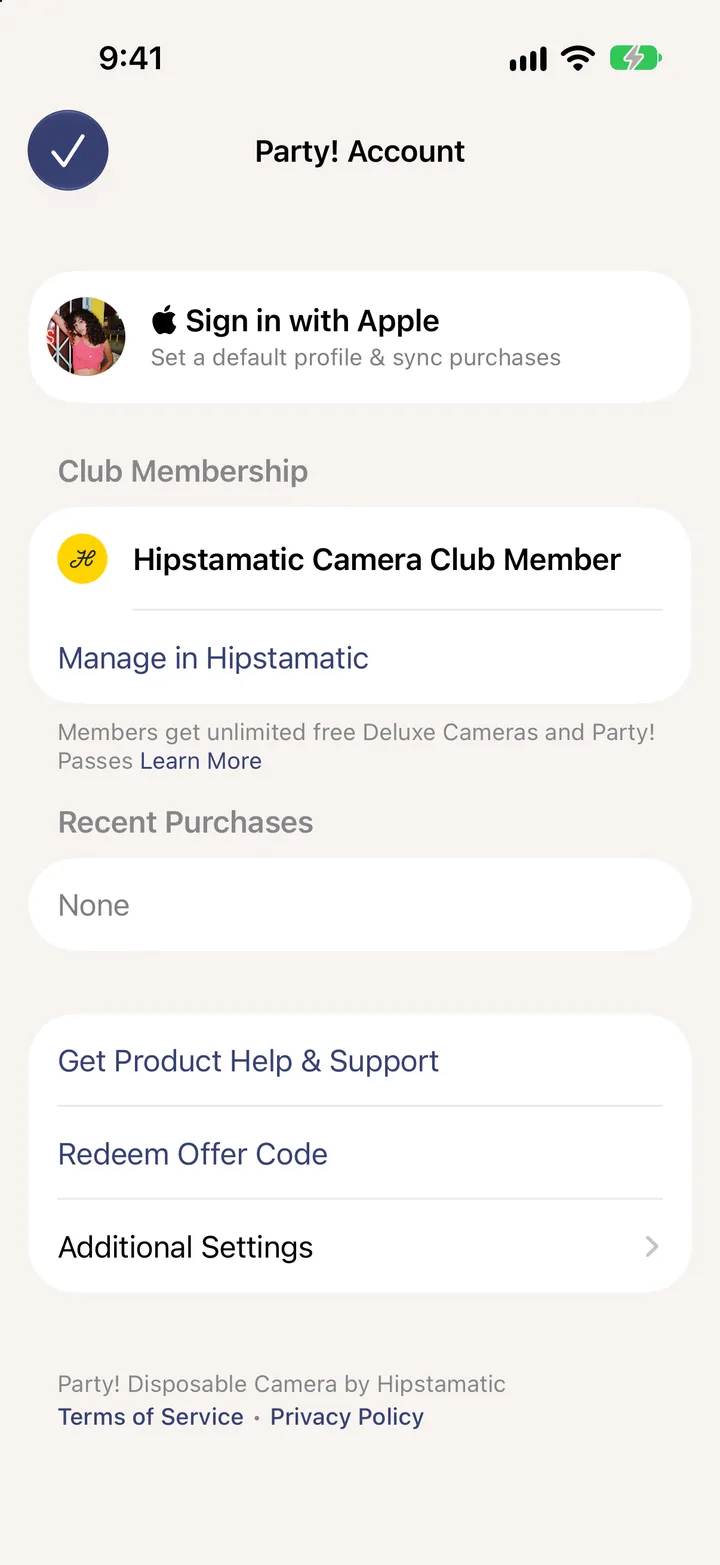
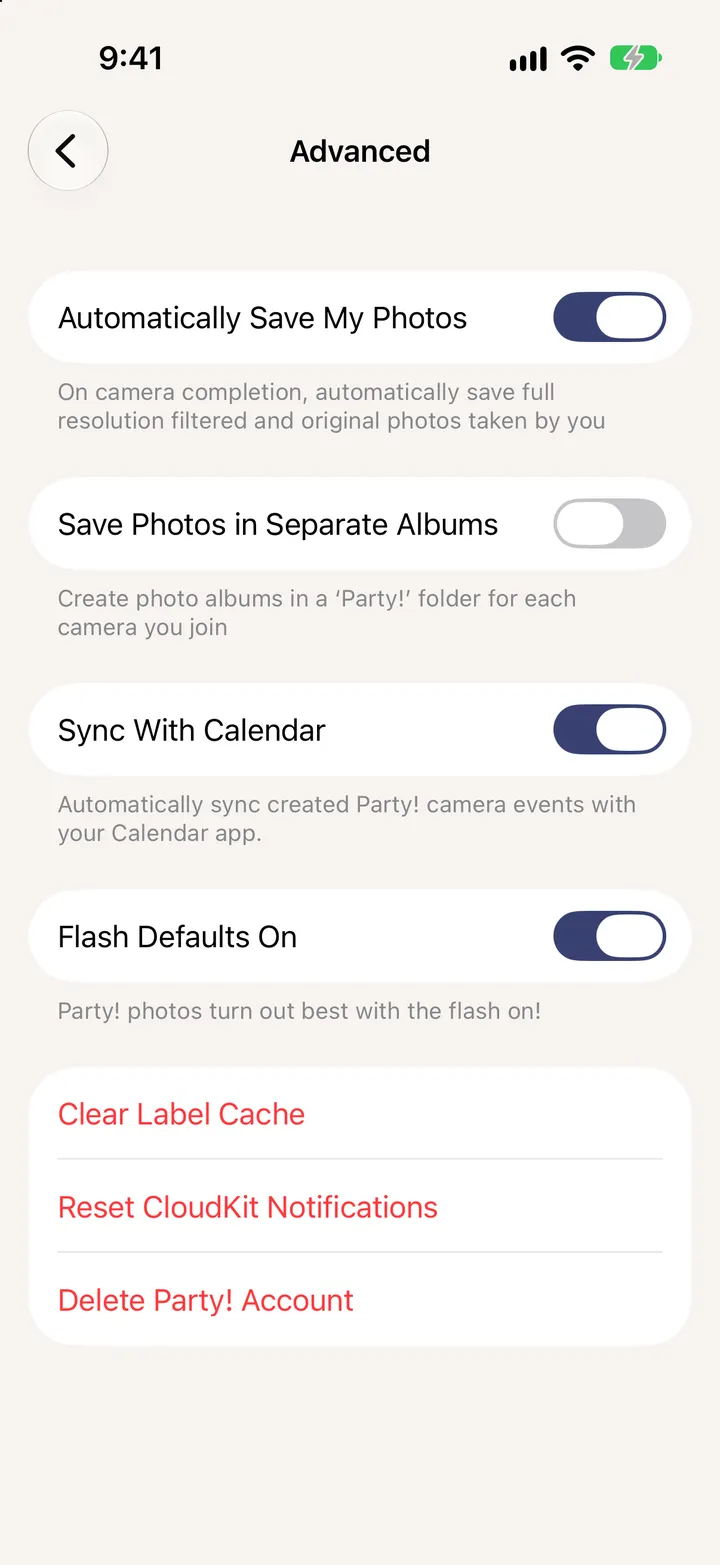
Tap your picture in the Library, then Additional Settings, Delete Party! Account. It deletes your photos, hearts, comments, chats and parties. Photos saved to your iPhone stay.

Party! · 6.2 · 3 steps
  1. 01

    Tap your picture, then Additional Settings

    Step 1: Tap your picture, then Additional Settings
  2. 02

    Tap Delete Party! Account

    Step 2: Tap Delete Party! Account
  3. 03

    Read the list, then delete

    It can’t be undone. Photos in your Photos library stay.
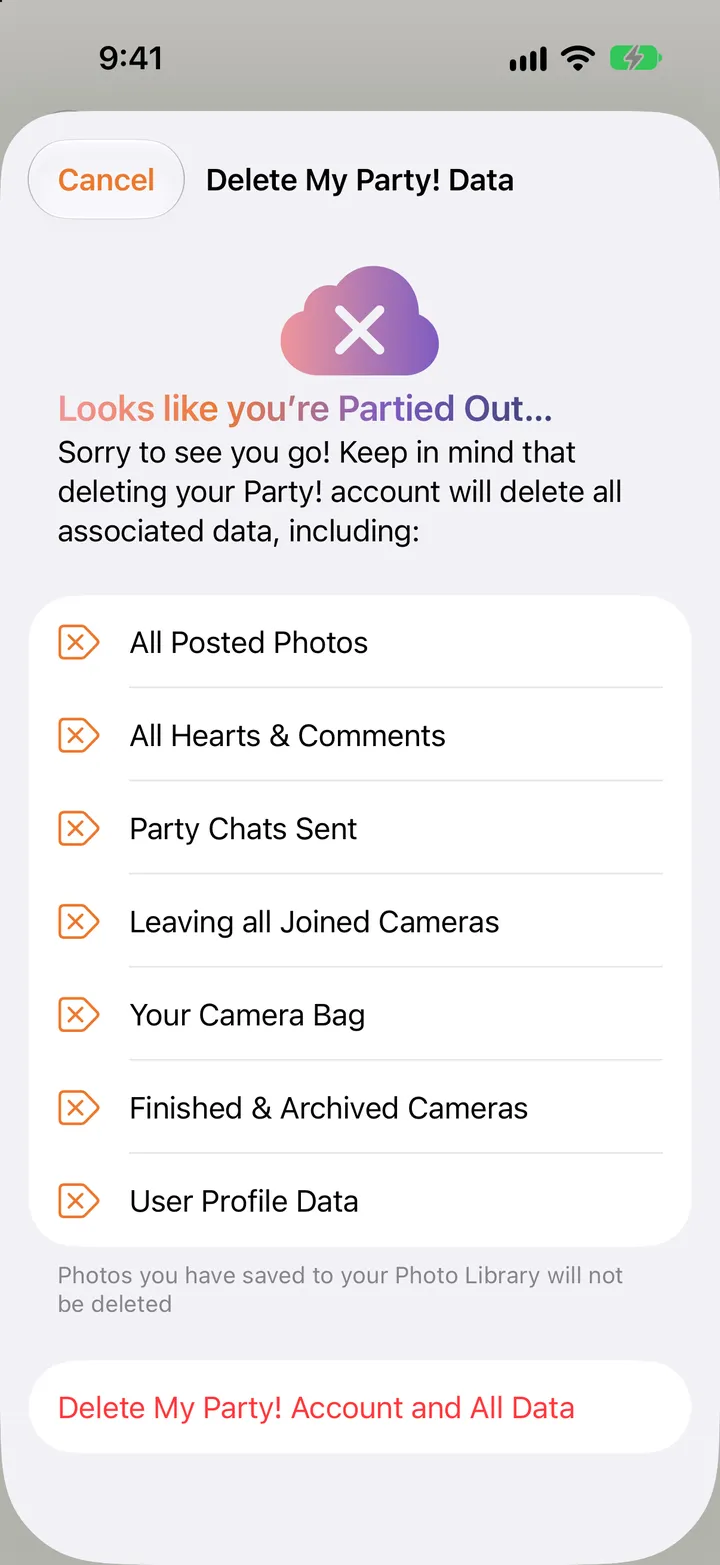
    Step 3: Read the list, then delete

Good to know

  • Camera Club is billed by Apple. Deleting Party! doesn’t cancel it. Do that in your iPhone’s Settings.

Your account

Party! guide ↘
